Box is TradeSmart’s efficient back-office. It’s exactly what it has been named, a box where you can find a record of every trade that you placed in the form of reports that are easy to understand. All your current holdings in Demat account, trades, open positions and profit loss reports. It’s quick, easy and exactly what you need. No confusing fancy charts, promise.
Box a brand new back office would help traders trade better on online trading system
You can find the details to log into the platform at the end of this post
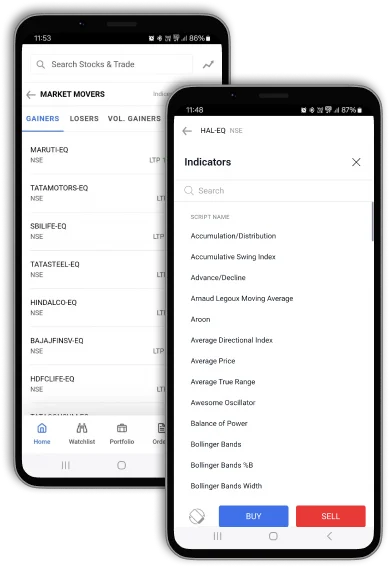
What also makes BOX special is it’s mobile friendly approach. As more of our users move to mobile, it only made sense to reduce the glim glam and give them something they can actually use when they are on the go. We have also made it possible for people to download the reports as PDF, or CSV files or directly print these reports right out of box.
Get The Best Back Office For All Your Trading Needs
Ledger A double entry account of all your transactions with VNS. You can choose the time period within which you wish to take a look at your transactions.

Holdings is a report that shows all the shares that are currently in your Demat account and their total valuation. This is a day end report and is updated everyday in the evening.

Trade Details is a report that gives you a trade-wise summary of all the scrips that you bought or sold within a given time period mentioned on the top right. The purpose of this report is to help you understand better each trade that you conducted and the chronology of the same.

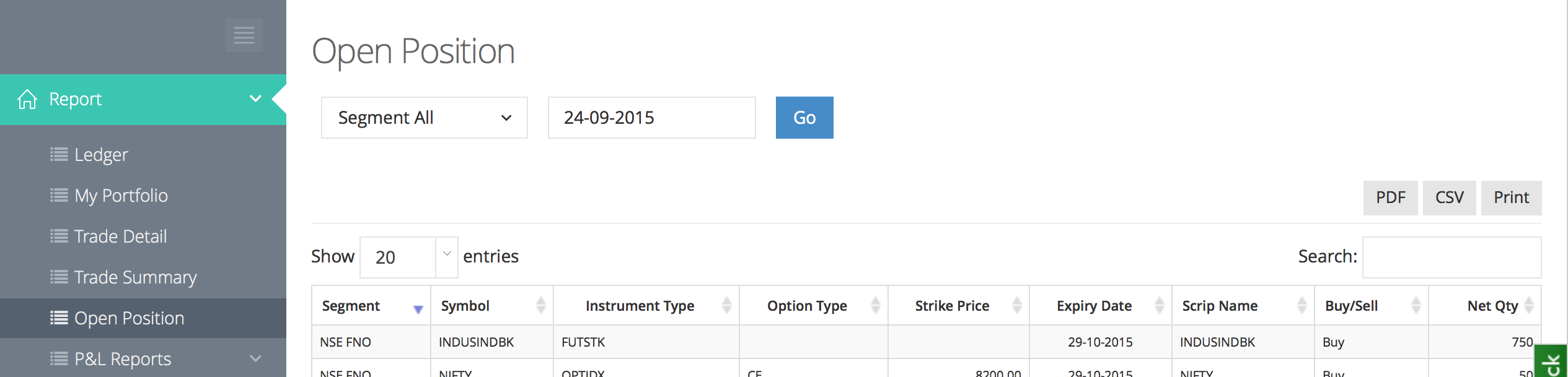
Open Positions is a report that lists all the open positions that your account has. These are all your futures and options positions for indices, equity, currency and commodities contracts. This list only shows positions that haven’t been squared off yet which means your MTM is changing with every price change in these contracts.
P&L Reports talk about the total profit the you have earned from a certain trade. This trade may or may not be squared off but the profit will show up as realised (if squared off) and unrealised (if not squared off). This report calculates the unrealized profit on a FIFO (First In First Out) basis to aide your trading decisions.
This report also gives a summary of the various expenses incurred by you (Brokerage, SEBI fee, STT etc) over the time period chosen by you.

Tax P&L Reports were created to help you file your returns better. These reports give a profit and loss statement sorted by each segment, short and, long term holdings. This will help you sort your total profits according to where and how they were earned and file your return on each of them accordingly.

The main screen is a consolidated report for all segments. Clicking on details button at the bottom of each takes you to the detailed report for each segment.

Breakdown of charges for P&L from the Equities or cash segment
A summary of all short term trades available in the Tax P&L breakdown for equities.

Similar tables are also available for long term purchases, intraday, and carried forward trades.
Also Read : Box Update -2


Box has an integrated referral center where you can directly refer your friends and family to TradeSmart and earn 10% of their brokerage charges every time they trade with us. This amount of brokerage charges will be deposited in your wallet.
Latest update (30-Sep-2024):
As per the exchange circular, brokerage sharing is not allowed without authorised person (AP) registration. To comply with the regulation, we will be discontinuing the 10% brokerage sharing under referral program starting from 01-Oct-2024. However, we will soon be introducing new upfront incentive details for referring friends or colleagues, which will offer a one-time reward.

The Wallet tab shows your total earnings from the referrals brokerage charges that you have made.

We understand that amidst all of this data, you might get a little confused. Worry not! We have a help section dedicated to each page that you can access at the click of a button. A button at the bottom of every page, a green question mark will take you to the inline help section where we have explained every column and data type that you can encounter on that report.
Box is TradeSmart’s attempt at making accounting easy. We wanted to provide our users with a better experience when it came to accounting and logging their trading activities and Box does exactly that.
We have implemented, tested and verified that all the functionalities work just fine but Box is still in the beta phase. We urge you to come up to us with any problems that you might face with the web-app and we’ll make sure we address those concerns before we enter the final release.
Your username for logging into Box is your client ID and the password is same as the one you used for your old back office login. The web address for the new back-office is box.tradesmartonline.in
This blog was a small step to help you understand it better. We hope that it helped and if you still have any questions or doubts regarding reports or how they are read or reported, please don’t hesitate in leavings your comments down below and we’ll make sure your queries are addressed right away.
Open Trading Account With Us For Seamless Trading
[email-subscribers namefield=”NO” desc=”Subscribe now to get latest updates!” group=”Public”]